Complete Celebration Reminder v.1.0.0

Display upcoming celebrations national holidays, public holidays and name days related to a country.

Website visitors will be reminded of important days that are approaching.

Joomla! 4.x & 5.x Component & Module & Plugin

Complete Celebration Reminder

LIVE DEMO      BUY

Complete Celebration Reminder is a Joomla extension that displays upcoming celebrations, national holidays, public holidays and name days within a country. For example, users will be able to see a list of the next 10 closest holidays starting from the current day.

The goal of Complete Celebration Reminder is to act as a holiday calendar and remind website visitors of important days that are approaching so that they can take actions related to the content and functions of the website.

The days that are usually included in such a calendar are national holidays, religious name days, international celebration days, annual events, full moons and lunar eclipses, etc. However, the extension can also function more generally as a notebook of simple reminders (text only) for the activities of a company, for the events of a shopping mall, for the matches in a stadium, etc.

Specific examples of websites that could use the extension are news websites, online holiday calendars, flower shops, pastry shops, restaurants, gift shops, online stores, social blogs, etc.

Specifically, the extension offers the following features:

  • Support for fixed and transferred celebrations.
  • Possibility to add new lists of celebrations or modify the existing ones.
  • Combine celebrations from two or more separate lists in a common view.
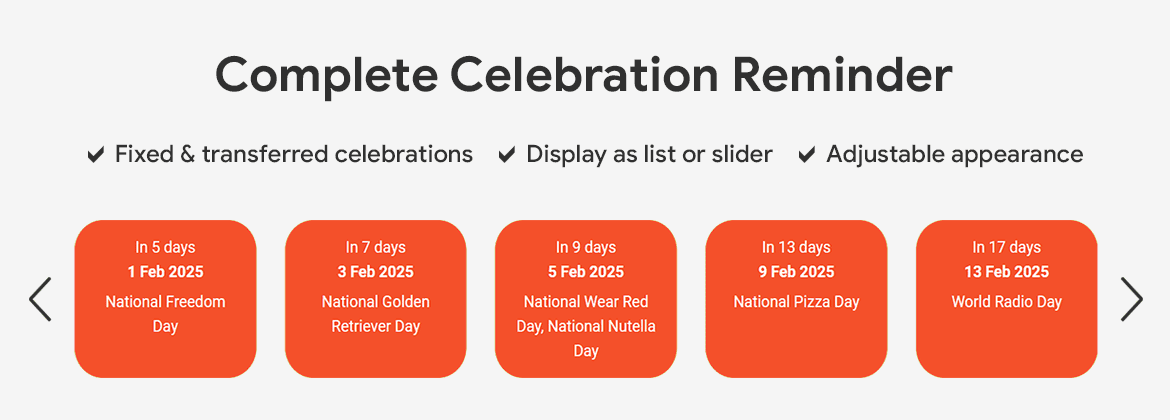
  • Display holidays in a list or in a slider.
  • Display the days remaining until the holiday.
  • Aesthetic configuration of the appearance of the holidays (color, background, frame, alignment, separator).
  • Select time zone.
  • Select date format.
  • Introduction and epilogue.
  • Personalized formatting with CSS code.

The extensions already includes the name days and publich holidays for the following countries:

  • BR - Public holidays and national celebrations in Brazil
  • CN - Public holidays and national celebrations in China
  • DE - Public holidays and national celebrations in Germany
  • FR - Public holidays and national celebrations in France
  • GR - Name days in Greece
  • IN - Public holidays and national celebrations in India
  • IT - Public holidays and national celebrations in Italy
  • RU - Name days in Russia
  • SP - Public holidays and national celebrations in Spain
  • UK - Public holidays and national celebrations in the United Kingdom
  • USA - Public holidays and national celebrations in USA
  • National days

Obviously there is possibility to add new celebrations.
  • Demo
  • Documentation
  • Technical Information
  • Change Log
  • Buy

The buttons below will redirect you to another website displaying demos of the extension.

Demo

Read More

Installation

  1. Download the plugin "Complete Celebration Reminder".
  2. In the Home Dashboard of the Joomla administration select "System" and then in the "Install" section select "Extensions".
  3. In the Upload Package File section, click Browse for file and locate the file "complete-celebration-reminder-1.0.0.zip".
  4. Congratulations, the extension is installed.


How To Use

The general steps are:

  1. Prepare the celebrations in the back-end:
    From the main menu of the administration area, go to Component > Complete Celebration Reminder. There you will find existing celebration lists that you may modify or create new ones.
  2. Display the celebrations in the front-end:
    After the celebration list is completed, from the main menu of the administration area, go to Content > Site Modules > Complete Celebration Reminder. There you will find options to select the celebration list you want to display and the apperance of the list. Also, enable the module and select the module position and the menu assignments. 
  3. Check and repeat:
    Finally check how it looks in the front-end and make corrections if needed.


Video Tutorial

The video below shows how to: 

  1. install the extension,
  2. show the celebrations in the front-end and how to customize the appearance,
  3. modify an existing celebration list or create a new one,
  4. add the subscription ID,
  5. uninstall the extension.


Screenshots

Component Screenshot

Component Screenshot

Module Screenshot

Module Screenshot

Module Screenshot

Module Screenshot 


Extension Parameters

Component

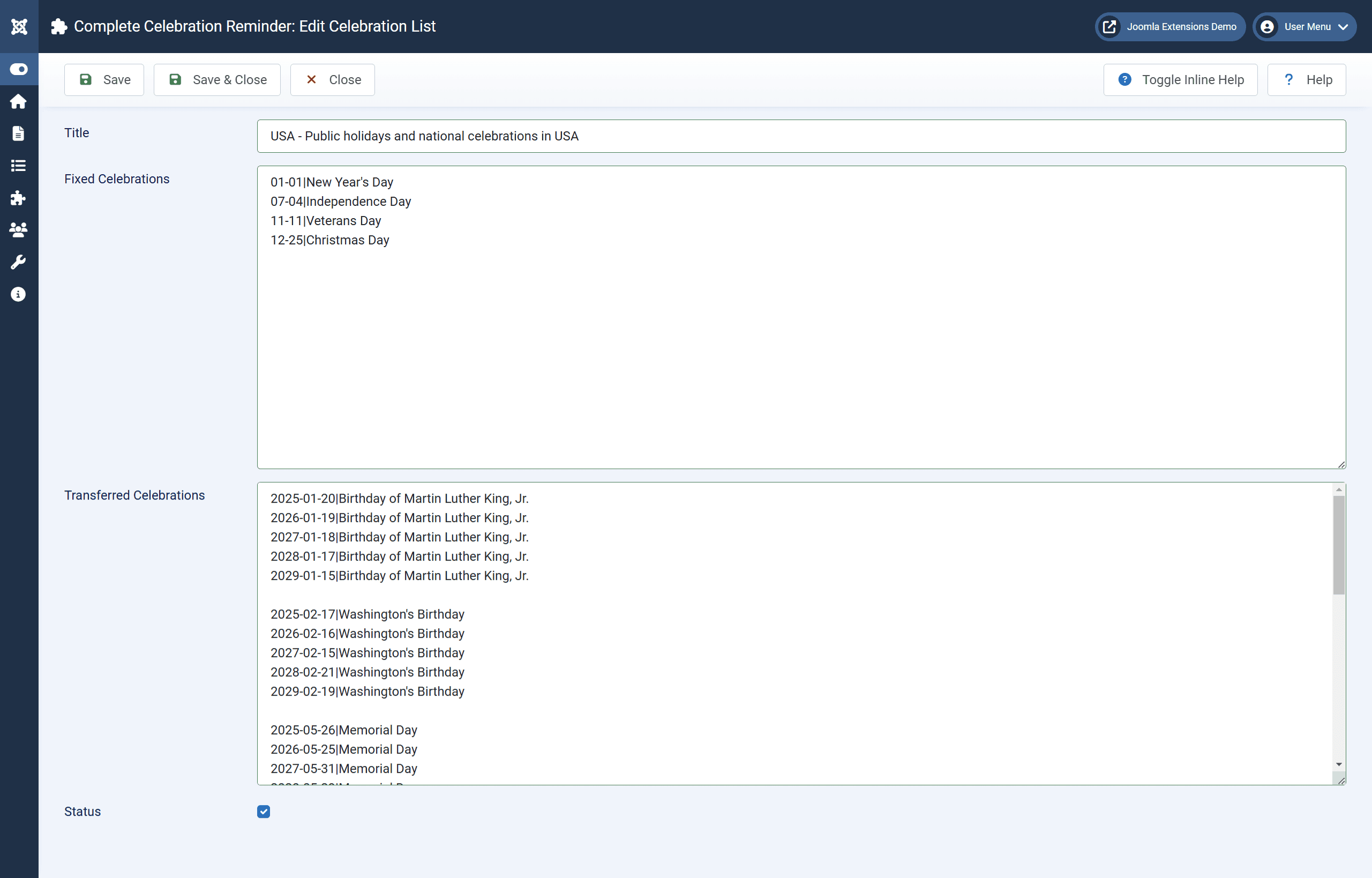
The parameters for each celebration list are:

  • Title: An identifying title of the celebration list.
  • Fixed Celebrations: Fixed celebrations are defined here. Fixed celebrations are repeated every year on the same date. Enter the date and the names and/or the celebration for each day in the following format per line:
    MONTH-DAY|NAME1, NAME2, NAME3, CELEBRATION TITLE
    Example:
    01-01|Bill, Billy
    03-20|International Earth Day
    01-07|John, Joan
    12-06|Nick, Nicki, Nicole
  • Transferred Celebrations: Transferred celebrations are defined here. Transferred celebrations repeat each year on a different date. Enter the date and the names and/or the celebration for each day in the following format per line:
    YEAR-MONTH-DAY|NAME1, NAME2, NAME3
    Example:
    2024-03-23|George, Georgia
    2024-05-12|Mother's Day
  • Status: Choose whether the celebration list will be active or not. If it is not active then its celebrations will not be displayed even if it is selected in a module.

Module

The parameters for displaying a celebration list on the front-end are:

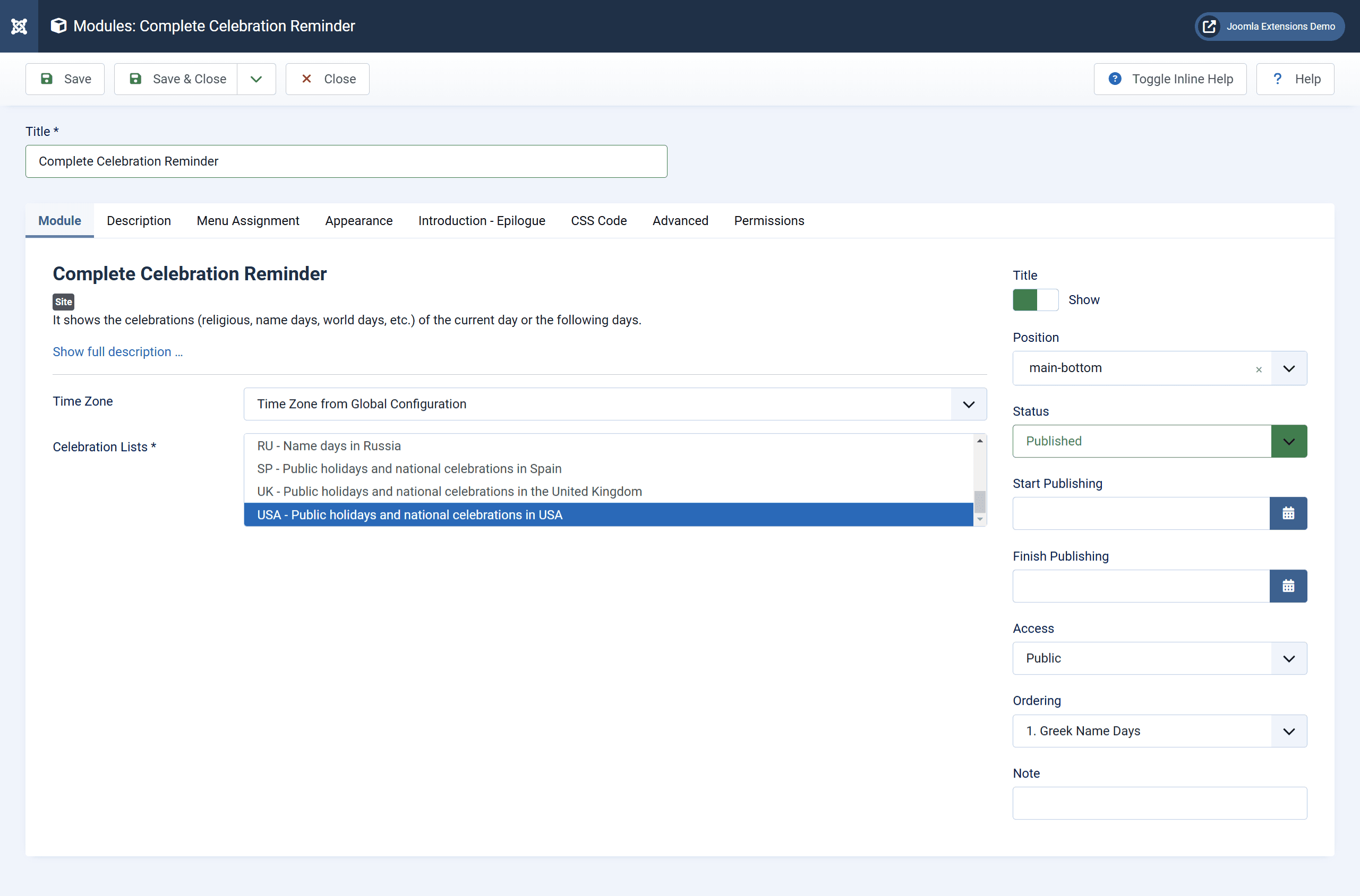
  • Time Zone: The country's time zone with the holidays.
  • Celebration Lists: Select one or more lists of celebrations that the module will display. If you choose more than one list of celebrations then the celebrations on the same day will be merged. If a celebration list has been disabled in the component, then its celebrations will not be included.
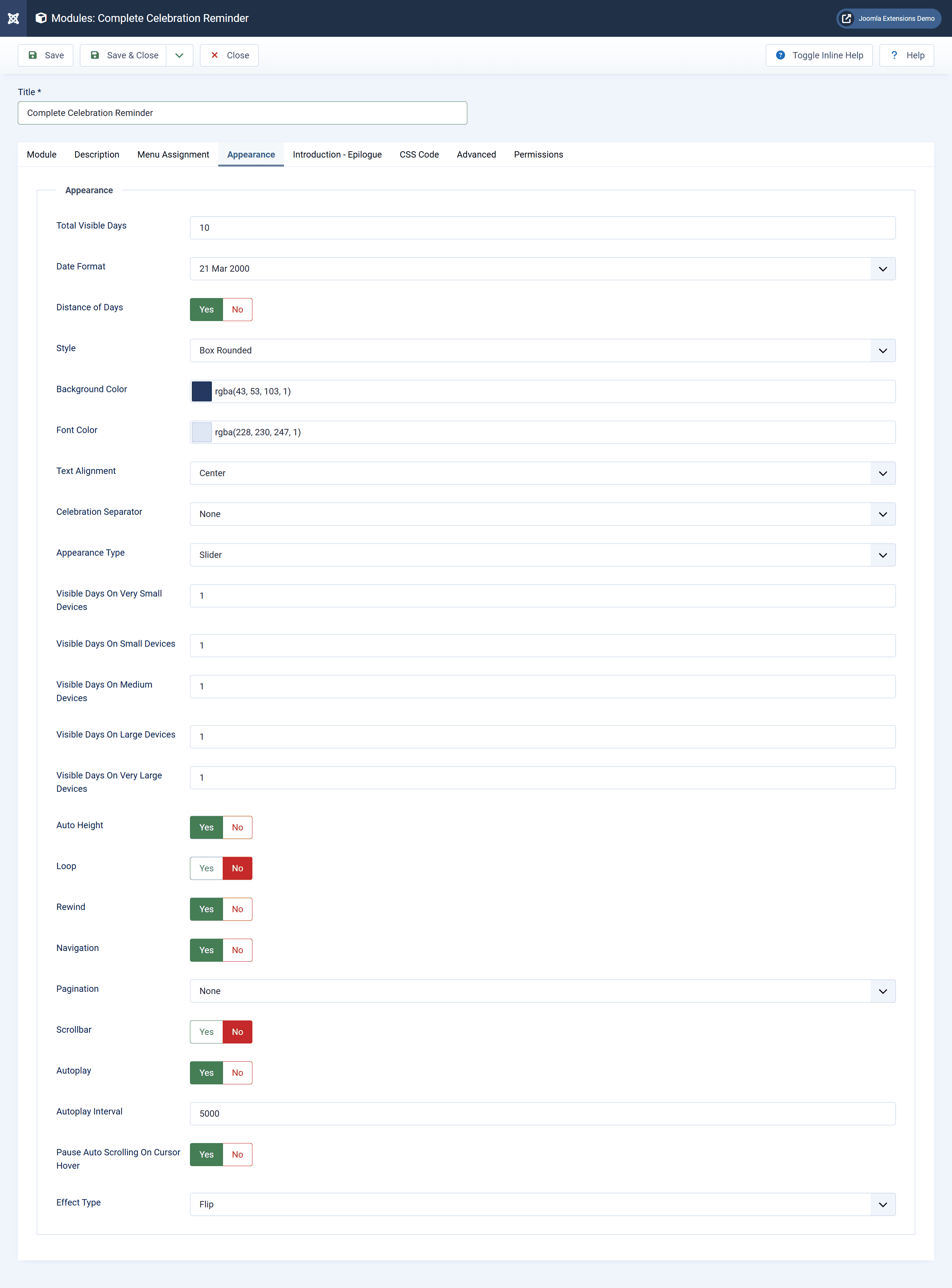
  • Total Visible Days: The total number of days with celebrations to show, regardless of whether they will all show at once. For best results, it must be equal to or greater than the maximum number of days the slider will show, as defined by the fields below.
  • Date Format: The form of the dates of the celebrations.
  • Distance of Days: Display a word about how many days are left until the celebration.
  • Style: The style of every day with the corresponding celebrations.
  • Background Color: The background color of the days with holidays. Clear your own value and save to use the default value.
  • Font Color: The text color of the days with holidays. Clear your own value and save to use the template font color.
  • Text Alignment: Alignment of the text with the holidays. Alignment of input and epilogue text is set by the text editor.
  • Celebration Separator: How to separate holidays that come from different entries for the same date (eg in one celebration list the same date occurs more than once, or the same date exists in different celebration lists).
  • Appearance Type: The celebrations can be shown either simply as a list or in a slider.
  • Visible Days On Very Small Devices: The number of visible days in the slider on very small devices (mobile in portrait, less than 576 pixels).
  • Visible Days On Small Devices: The number of visible days in the slider on small devices (mobile in landscape, 576px and above).
  • Visible Days On Medium Devices: The number of days visible on the slider on medium devices (tablets, 768px and above).
  • Visible Days On Large Devices: The number of days visible in the slider on large devices (desktops, 992px and above).
  • Visible Days On Very Large Devices: The number of visible days in the slider on very large devices (large desktops, 1200px and above).
  • Auto Height: The height of the slider will fluctuate according to the text on each day.
  • Loop: Repeating loop. It should not be used in conjunction with the rewind function.
  • Rewind: It automatically goes to the beginning when it reaches the end. It should not be used in conjunction with the loop function.
  • Navigation: Show next and previous day buttons.
  • Pagination: Show pagination using the dots at the bottom of the slider.
  • Scrollbar: Show the scroll bar at the bottom of the slider.
  • Autoplay: The slider will play automatically.
  • Autoplay Interval: The time interval between automatic scrolls.
  • Pause Auto Scrolling On Cursor Hover: Auto scrolling will stop when the cursor hovers over the slider.
  • Effect Type: The effect on the change of days in the slider. CAUTION: These effects only apply when the slider shows only one day at a time.
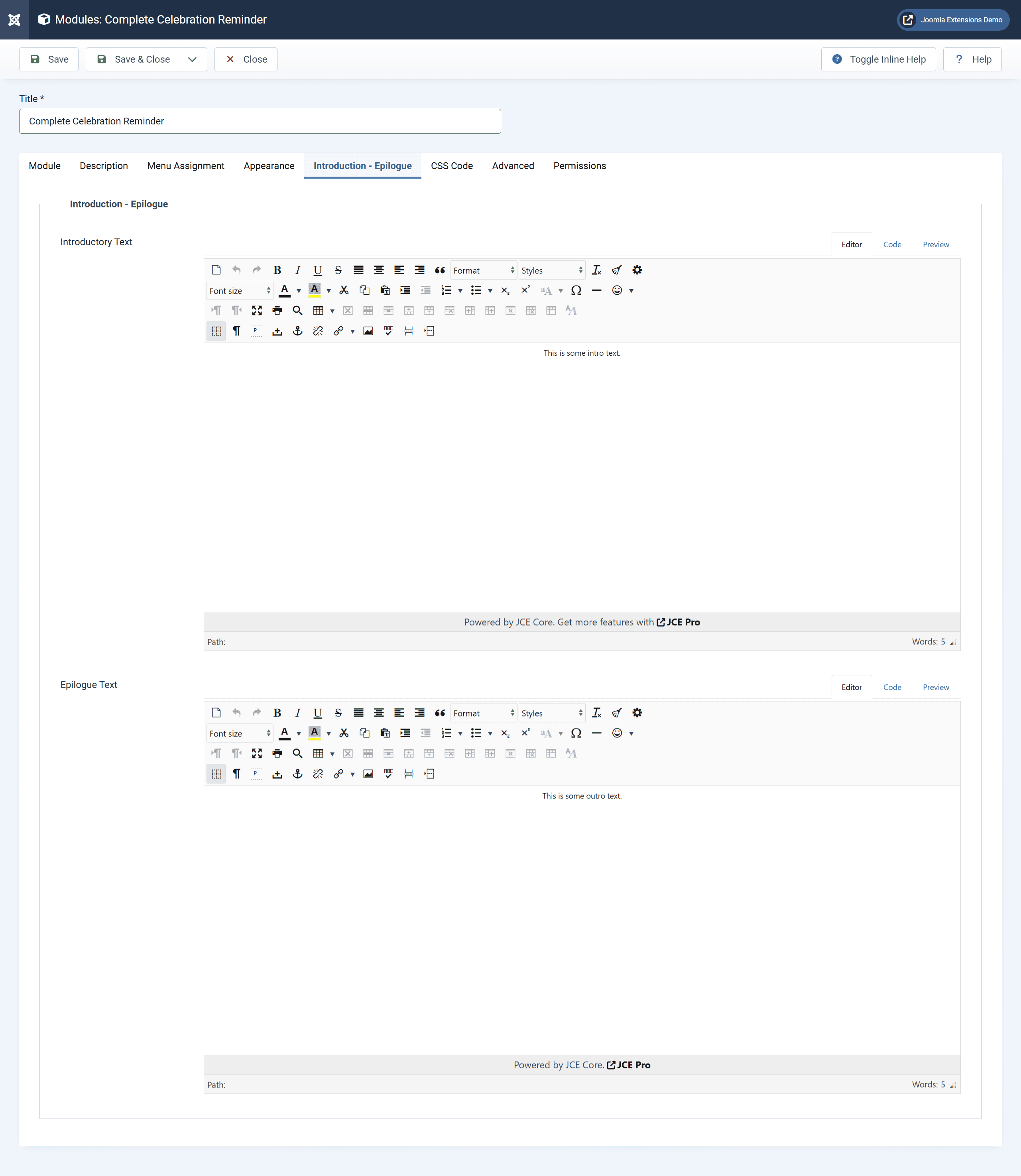
  • Introductory Text: This is the text that appears before the celebrations.
  • Epilogue Text: This is the text that appears after the celebrations.
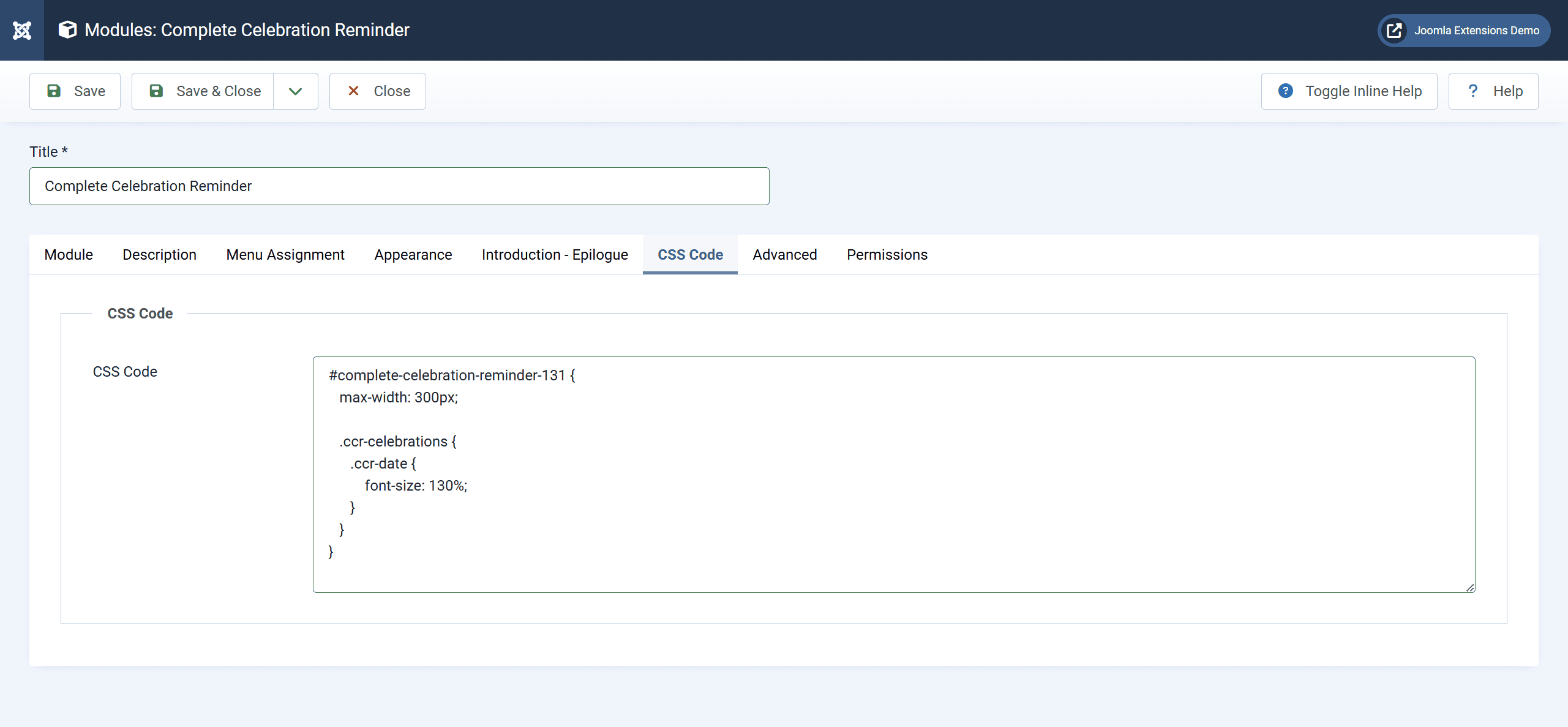
  • CSS Code: Custom CSS code. Use the insert ID to apply CSS code exclusively to it.

Automatic Update

In order to be able to easily update the extension through the update system of Joomla, you need:

  • Your membership ID. This can be found in the email you received with the subscription information of this extension or in your profile in this website.
  • An active subscription of this extension. You can see your subscriptions in your profile as well.

Having the above fulfilled, do the following:

  • In the Joomla home dashboard, select "System".
  • Select "Plugins" in the "Manage" section.
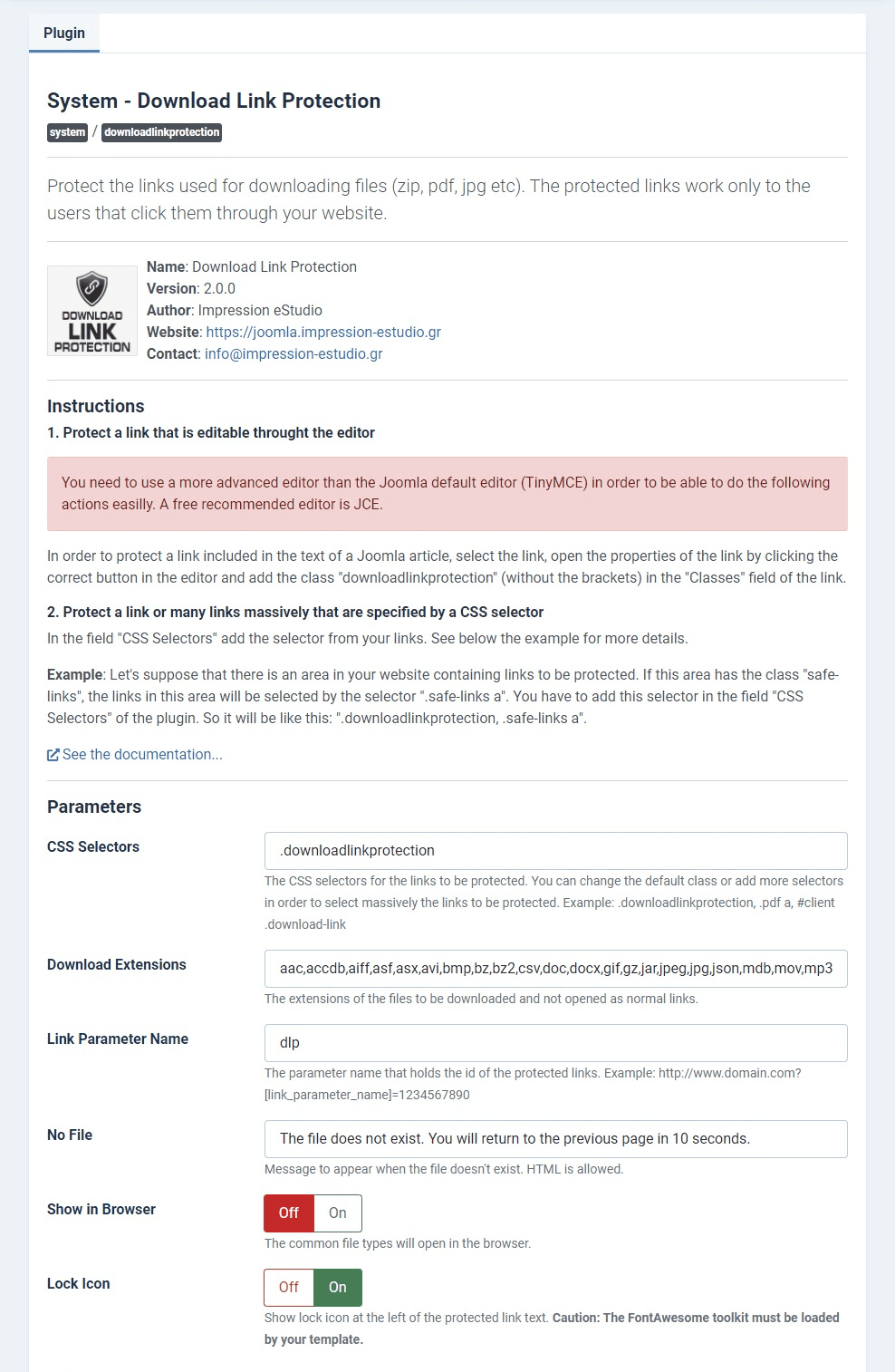
  • Locate in the list the line with name "Installer - Download Link Protection" where the column 'Type' is equal to 'Installer' and click to it.
  • Fill in your membership ID in the parameters, enable the plugin and save.

Now you will be able to update the extension through the Joomla update system. But if you want, you can do it manually by downloading the latest version from this website.


Uninstall from Joomla

  1. In the Joomla home dashboard, select "System".
  2. Select "Extensions" in the "Manage" section.
  3. Locate in the list the line with name "Complete Celebration Reminder" where the column 'Type' is equal to 'Package'.
  4. Check the line and click "Uninstall". This will uninstall completely the extension.
Read More
  • Extension version: 1.0.0
  • Extension type: Component, Module, Plugin
  • Extension technologies: PHP 7.2.5+
  • Compatible Joomla version: 4.x, 5.x
  • Compatible browsers: Chrome, Firefox, Opera, Edge, Safari
Read More
  • 1.0.0:
    • First release of the Complete Celebration Reminder extension.
Read More

You don't have any active subscription.

  • Complete Celebration Reminder

    Complete Celebration Reminder

    Select this subscription in order to download Complete Celebration Reminder.
    25€ 6 months of access to download. Unlimited installations. Support for a single website.
  • 1

Subscription Instructions

In order to download the extension you have to subscribe to the above subscription. The subscription process requires from you:

  1. To create an account or to login using an existing one if you already have.
  2. To be redirected to PayPal for the payment.

After you return to this website from PayPal, you will be already logged in and you will receive an email with information about your subscription.

Being logged in with your account you will be able to download the extension a) through the page of the extension or in the 'Downloads' area or from your account by selecting 'My Downloads'.

As long as the subscription is active, you will be able to log in and download any possible updates of the extension from this website.

Read More